Let’s get you drawing.
Grab your sketchbook or open your drawing app. Tokiyo keeps the references on screen and takes care of the timer. It’s free, with no account needed.
1. Choose something to draw
On the home page, pick a collection. Gesture basics is a good place to start, or try standing poses, seated poses, or movement and balance.
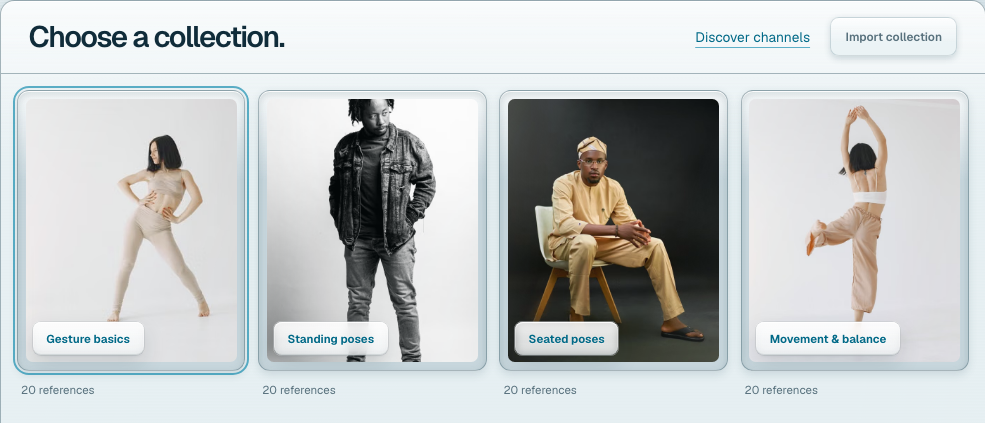
Want something else? Discover channels to find references on Are.na. You can also choose Import collection and paste a public Are.na channel or Cosmos collection link.
For images on your device, open Import collection, select Local images, then Choose images. These stay in this browser and aren’t uploaded. Keep the originals, since clearing browser storage can remove them.
2. Set your pace
Fixed pace gives every reference the same amount of time. Try 30 seconds or a minute for quick gestures, or a longer interval for details. Custom pose lengths run from 5 seconds to 4 hours.
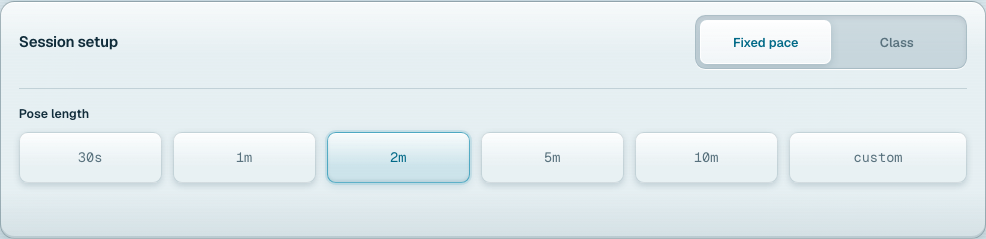
If you’re starting out, choose a pace that feels comfortable. You can pause whenever you need more time.
3. Start drawing
Press Start drawing. Each reference advances when its timer ends. Draw on paper, on a tablet, or in a separate app.
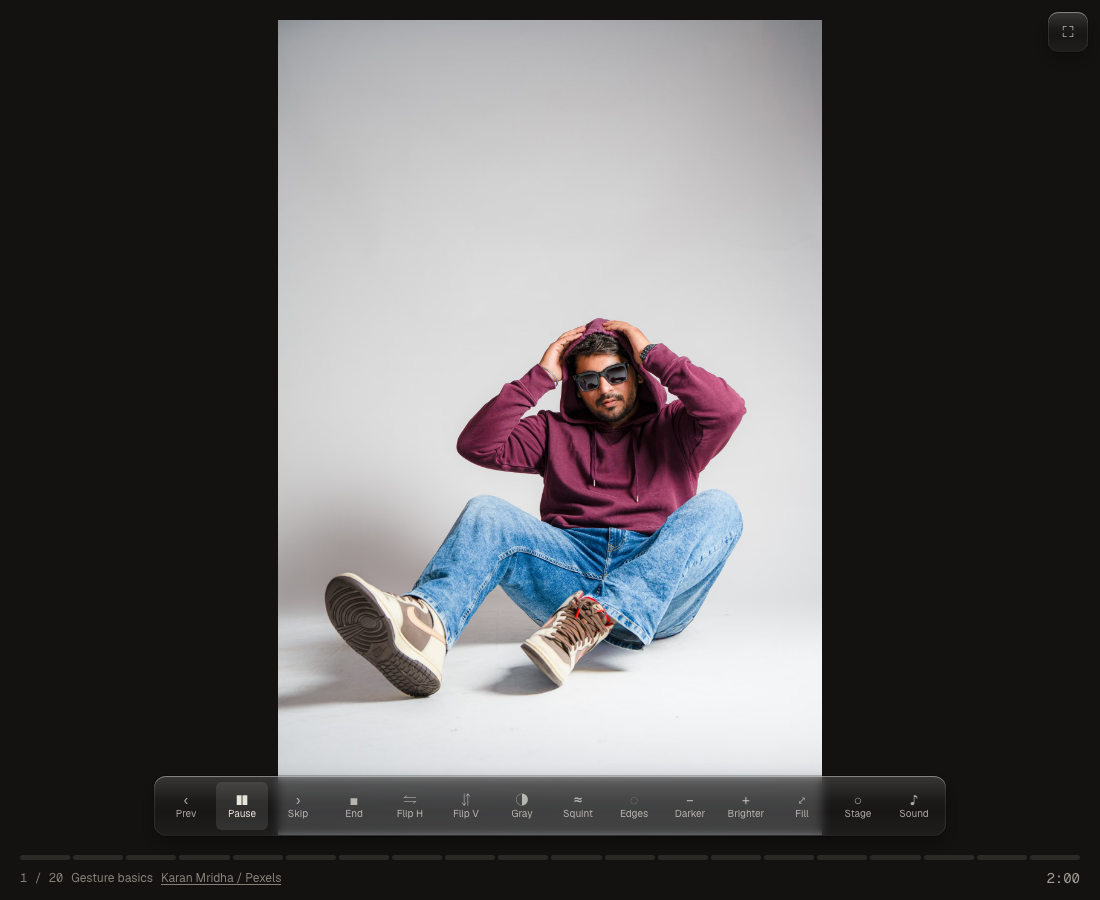
Press Space to pause or resume. Use Prev to revisit a reference, Skip to move on, or End to finish. Fullscreen gives you more room to look.
Try Gray to study values or Flip H to see the pose from a fresh angle. Sound turns the transition cues on or off.
A few things to know
- Tokiyo doesn’t have a drawing canvas and doesn’t store your drawings.
- Your settings and recent collections stay in this browser. They don’t sync between devices.
- Practice links share a collection and session setup, but collections made from your own image files only work in the browser where you added them.
- Imports need a public collection with supported images. Private collections won’t load.
For more detail, see image credits and usage or the privacy page.
Start a drawing session. If you get stuck, send me a message.